Change TASClient Rank Icons - MiniTutorial
Posted: 05 Feb 2010, 03:36
Since about February 2010 TASClient has support for custom Rank Icons. The official documentation for this is apparently to "read the changelog" which contain the following pieces of information on the subject.
From the Changelog entry on the subject:
I have created an example set of icons and associated script:
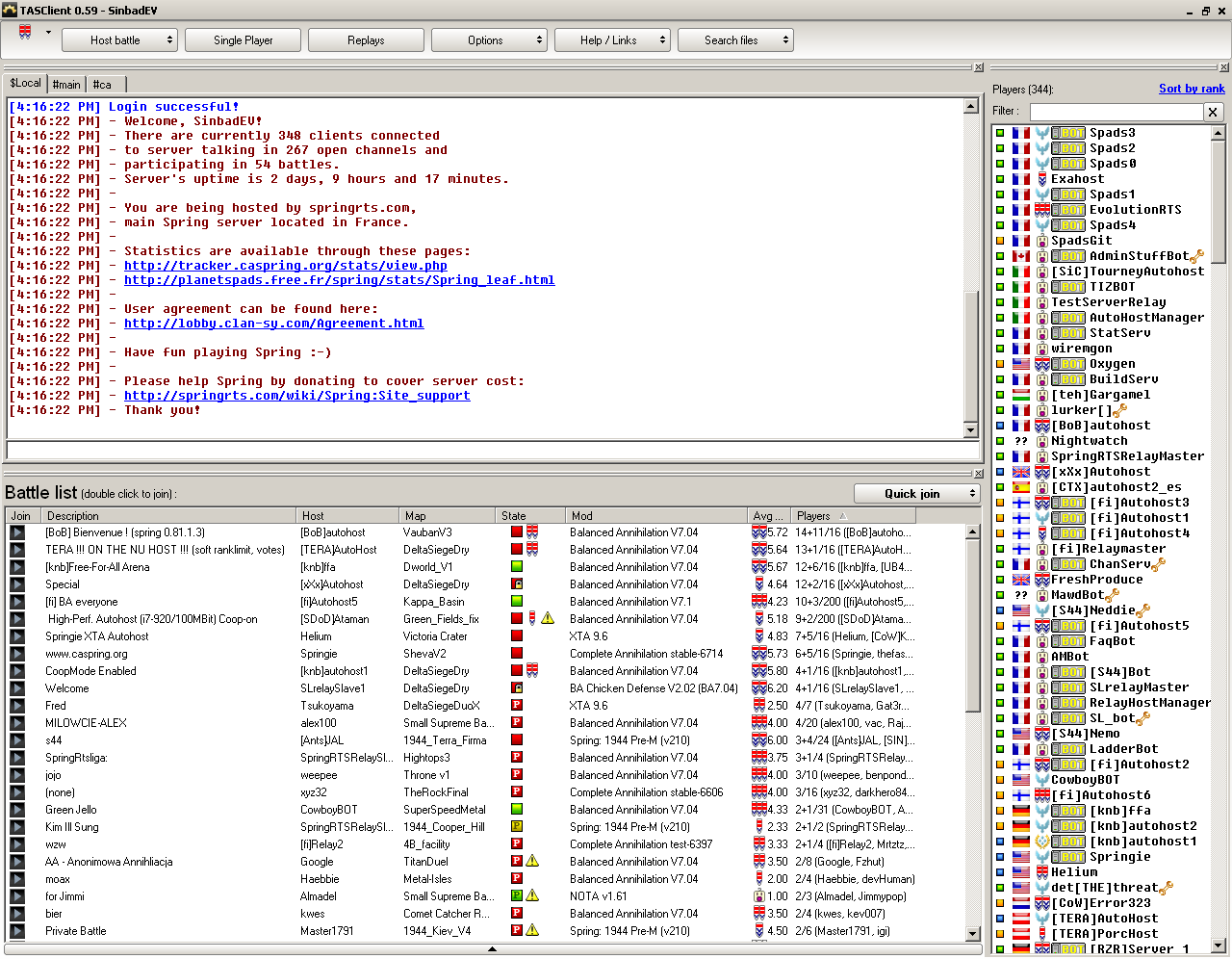 To use this script just drop it in the ..\Spring\Lobby\python\scripts\ folder along with the images.
There was another thread where people posted a bunch of sets of icons that could be used. I'd suggest people post, in response to this thread, icons that they have found/made so other people can use them.
Each rank is a 16x16 image and the 'MaskColor':16777215 part determines which pixels will be transparent... 16777215 is white (which is basically the web-style color FFFFFF in decimal) so if you wanted purple pixels to be transparent you would use 16711935 (FF00FF) and if you wanted black pixels to be transparent you would use 0.
The traditional set uses 16x16 icons but it looks like this is only because of the font and layout... larger or smaller icons seem to be supported.
From the Changelog entry on the subject:
So, In order to specify a custom set of rank icons you must make a script, based on the example one sitting in ..\Spring\Lobby\python\scripts\subf called replaceIcons.py* new ranks icons
* PYTHON : AddPlayerIconType renamed to AddOrReplaceIconList and allows you to replace existing image list like ranks, battle states etc
* PYTHON : replacing rank icon example added
and inside api.txt
Code: Select all
- AddOrReplaceIconList(name, iconsDict)
    replace the default icons with
        name == 'rank','connectionstate','playerstate','syncstate','battlestate','readystate','laddercup'
    or add new icon list, use SetPlayerIconId to set the icon id to a player
    iconsDictExample = {0:{'File':'filepath.bmp/jpg/png', 'Name':'Rank1', 'MaskColor':16777215}, 1:{'File':'filepath.bmp/jpg/png', 'Name':'Rank2', 'MaskColor':16777215} ...}
- SetPlayerIconId(playerNick,iconTypeName,iconId)
I have created an example set of icons and associated script:
To use this script just drop it in the ..\Spring\Lobby\python\scripts\ folder along with the images.There was another thread where people posted a bunch of sets of icons that could be used. I'd suggest people post, in response to this thread, icons that they have found/made so other people can use them.
Each rank is a 16x16 image and the 'MaskColor':16777215 part determines which pixels will be transparent... 16777215 is white (which is basically the web-style color FFFFFF in decimal) so if you wanted purple pixels to be transparent you would use 16711935 (FF00FF) and if you wanted black pixels to be transparent you would use 0.
The traditional set uses 16x16 icons but it looks like this is only because of the font and layout... larger or smaller icons seem to be supported.
SinbadEV wrote:
or


JAZCASH wrote:


TradeMark wrote:

Saktoth wrote:


Big Take wrote:


smoth wrote:I grabbed these off of google..


Gota wrote:


Satirik wrote:


